Feeling is believing. 30-day return policy.

Work well.

Your body wasn't designed for a flat keyboard. Your keyboard can be designed for your body.

A beautiful workspace shouldn't come at the cost of your well-being.

NUIO is built on a simple idea: the tools you use most should be the ones doing the most for you.

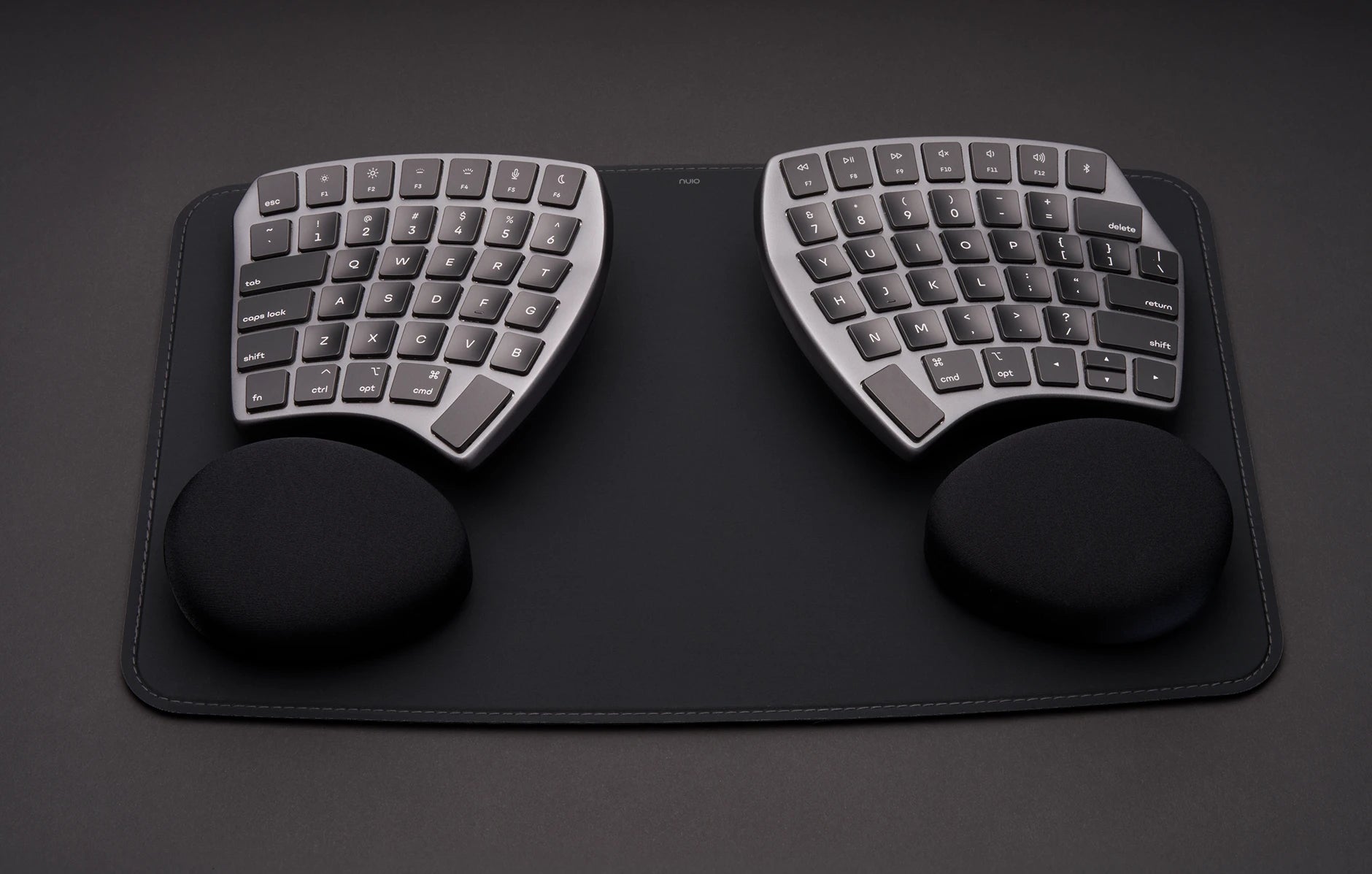
NUIO Flow split keyboard in a healthy workspace setup

Think about what you actually use all day.

If you work at a desk, your keyboard logs more hours with your body than almost anything you own. More than your car. More than your couch, your phone, your running shoes. For most desk workers, the only thing that beats it is your bed.

We spend real money making beds better — mattresses, pillows, sleep tracking. The keyboard, somehow, escaped the same scrutiny. Most people type eight hours a day on a design that hasn't fundamentally changed since the typewriter.

That's a lot of hours to spend on the wrong tool. It's also the biggest opportunity in your workday.

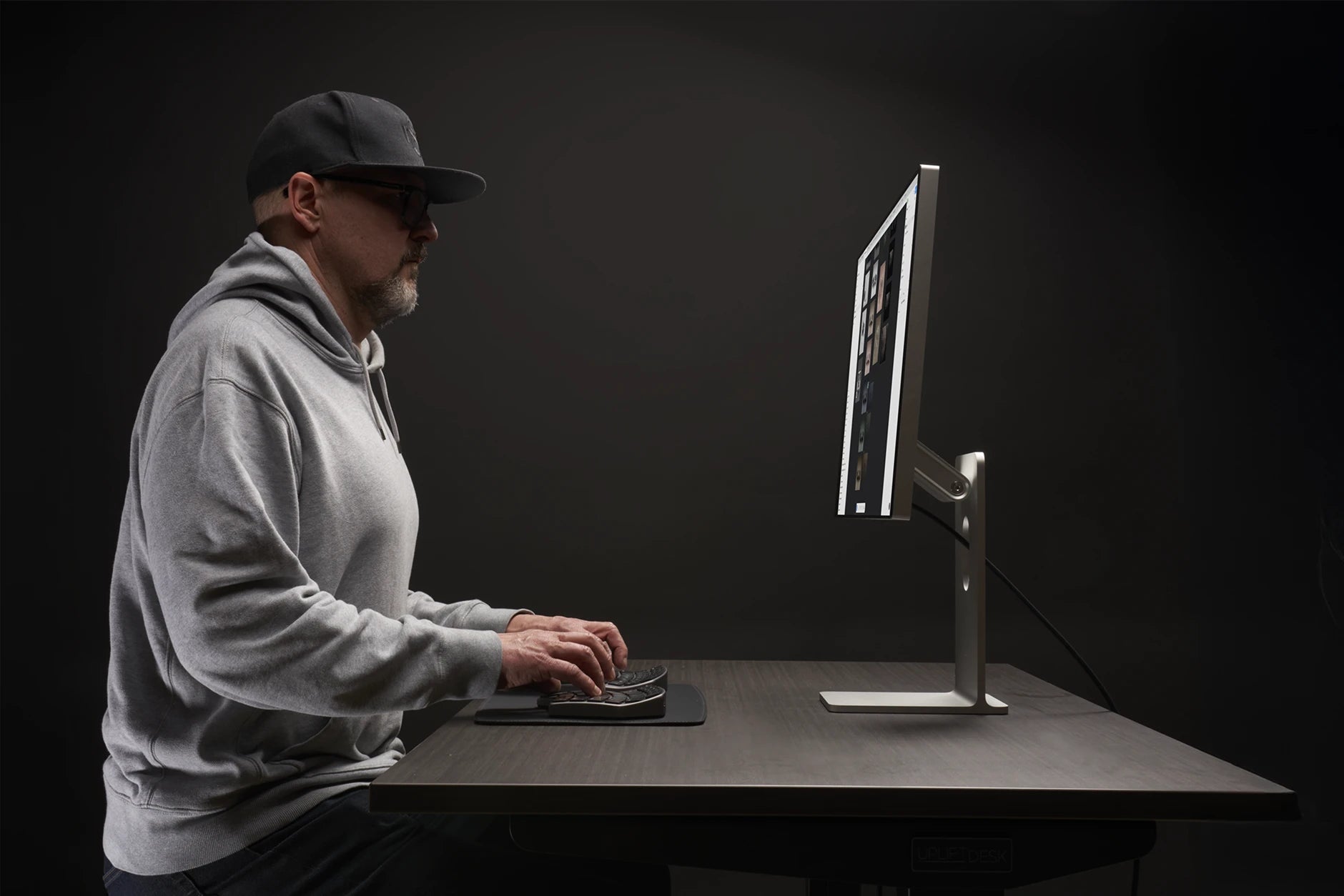
NUIO Flow keyboard on a modern desk beside a Mac

Your watch tells you about your health. Your keyboard can change it.

Your watch counts your steps. Your ring scores your sleep. They're useful — but they're scoreboards. They tell you how you're doing; they don't do anything.

Your keyboard is different. It's not measuring your day — it is your day, eight hours of it, thousands of keystrokes at a time. Change how it holds your wrists, your shoulders, your posture, and you haven't logged a data point. You've changed the input.

Wellness designed in.

Big health outcomes rarely come from big gestures. They come from small changes, repeated thousands of times a day. Flow is designed to make three of them automatic — you don't do anything differently; the keyboard does.

NUIO Keyboard with wrists in neutral position
01 — Neutral Wrists

A conventional keyboard forces your wrists to bend outward to reach the keys. Flow's split, fully adjustable halves rotate to match your natural angle, so each wrist sits straight instead of bent — a small correction, repeated every one of the day's keystrokes.

NUIO Flow Keyboard promotes open shoulders
02 — Open Shoulders

Squeezing both hands onto one narrow board rolls your shoulders forward and rounds your back. Flow's two halves separate to shoulder width, so your chest opens and your shoulders settle back where they belong — posture built into the tool instead of into willpower.

NUIO Keyboard radial key layout shortens finger travel
03 — Optimized Keys

Flow's radial key layout puts every key where your fingertips naturally fall — less reaching, less stretching, less drifting out of position. A one-percent saving per keystroke doesn't sound like much, until you multiply it by thousands of keystrokes a day, every working day.

Designed by the former Head of Input at Apple.

Tom Wilson started his career at Frog Design, then spent 12 years at Apple — three of them as Head of Input Hardware, responsible for the keyboards, trackpads, and mice used by hundreds of millions of people. From there he went on to Google, continuing a career spent designing the input tools people use every day.

Across all of it, he kept running into the same problem: the flat, rigid keyboard hasn't fundamentally changed since the typewriter, and our bodies are paying for it.

The Flow Keyboard is his answer — a keyboard designed around the human hand, not the other way around.

Apple | Google | Frog Design
Founder and CEO of NUIO
Tom Wilson
Founder and CEO of NUIO
Ex-Head of Input at Apple
"We've spent decades adapting our bodies to keyboards. I wanted to build the keyboard that adapts to you."

Don’t just take our word for it...

Questions we hear about working well...

Is the Flow hard to learn?

Most people are comfortable within a few days and back to full typing speed within one to two weeks. Flow keeps a familiar layout — it changes where your hands rest, not how you type. Our five-step setup guide walks you through the first week.

Does it work with my Mac?

Yes — Flow is designed for Mac (including macOS Tahoe) and also works with Windows. It pairs with up to 3 devices and switches between them instantly.

Can I customize my setup?

That's the point of a modular system. Flow's accessories let you dial in tilt, tenting, and wrist support to match your posture — and add pieces like wrist pads and a deskpad as your setup evolves. Start with the keyboard, then build your setup around how you actually work.

What if I'm already dealing with wrist pain or a repetitive strain injury?

Flow's neutral-wrist design matters most to the people who feel it most. We cover the specifics for wrist pain, repetitive stress injury, and carpal tunnel — each page walks through how the design addresses that concern.

Can a keyboard really improve my posture?

Posture follows hand position. When your hands move to shoulder width, your shoulders, chest, and back follow. We cover the mechanics on our posture page.

What if it doesn't work for me?

Return it within 30 days. Keep the original packaging; returns carry a 10% restocking fee ($39.90) — that's the full extent of your risk. Type on it for a month of real workdays and judge it on comfort, not novelty.

Thirty days of working well.
Then decide.

Work a full month on Flow — through the long weeks, the deadline days, the afternoons where tension usually wins. If your workday doesn't feel different, return it.

30-day returns · 1-year warranty · From ~$36/month with Shop Pay

30-day returns with a 10% restocking fee. See details